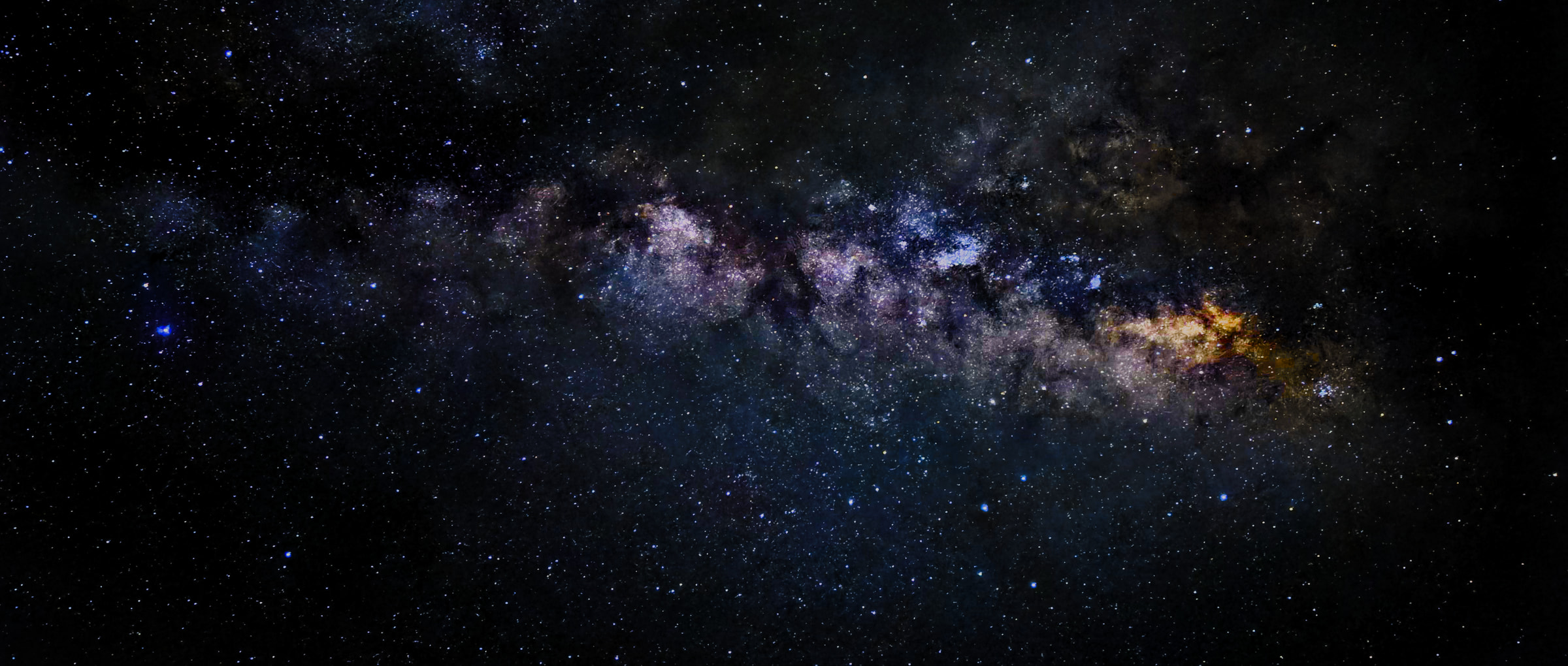
Drop in your frames
Drag a whole folder of Milky Way shots straight in — RAW, DNG, TIFF, JPEG, PNG or HEIC. Optionally add dark frames and flat frames. Mark a base image, or let StarStacky pick the first.
Free · No install · Runs in your browser
StarStacky aligns your night-sky frames, wipes out noise and city glow, and keeps the foreground tack-sharp — then hands you a clean 16-bit TIFF. A free, modern alternative to Sequator and DeepSkyStacker.
The workflow
Drag a whole folder of Milky Way shots straight in — RAW, DNG, TIFF, JPEG, PNG or HEIC. Optionally add dark frames and flat frames. Mark a base image, or let StarStacky pick the first.
Detect the stars, model lens distortion, set a sky region and freeze the ground. Flatten the glow of a city sky with light-pollution removal. Every option explains itself in plain language.
StarStacky aligns every frame to the base, stacks it with a noise-squared weighting, and writes a 16-bit TIFF or JPEG for your editor. Re-stack as often as you like — it's free.
Before / after
The same Milky Way, shot on a phone and stacked with StarStacky. On the left, a single RAW frame — flat, noisy and green from sky glow. On the right, the stacked and stretched result.
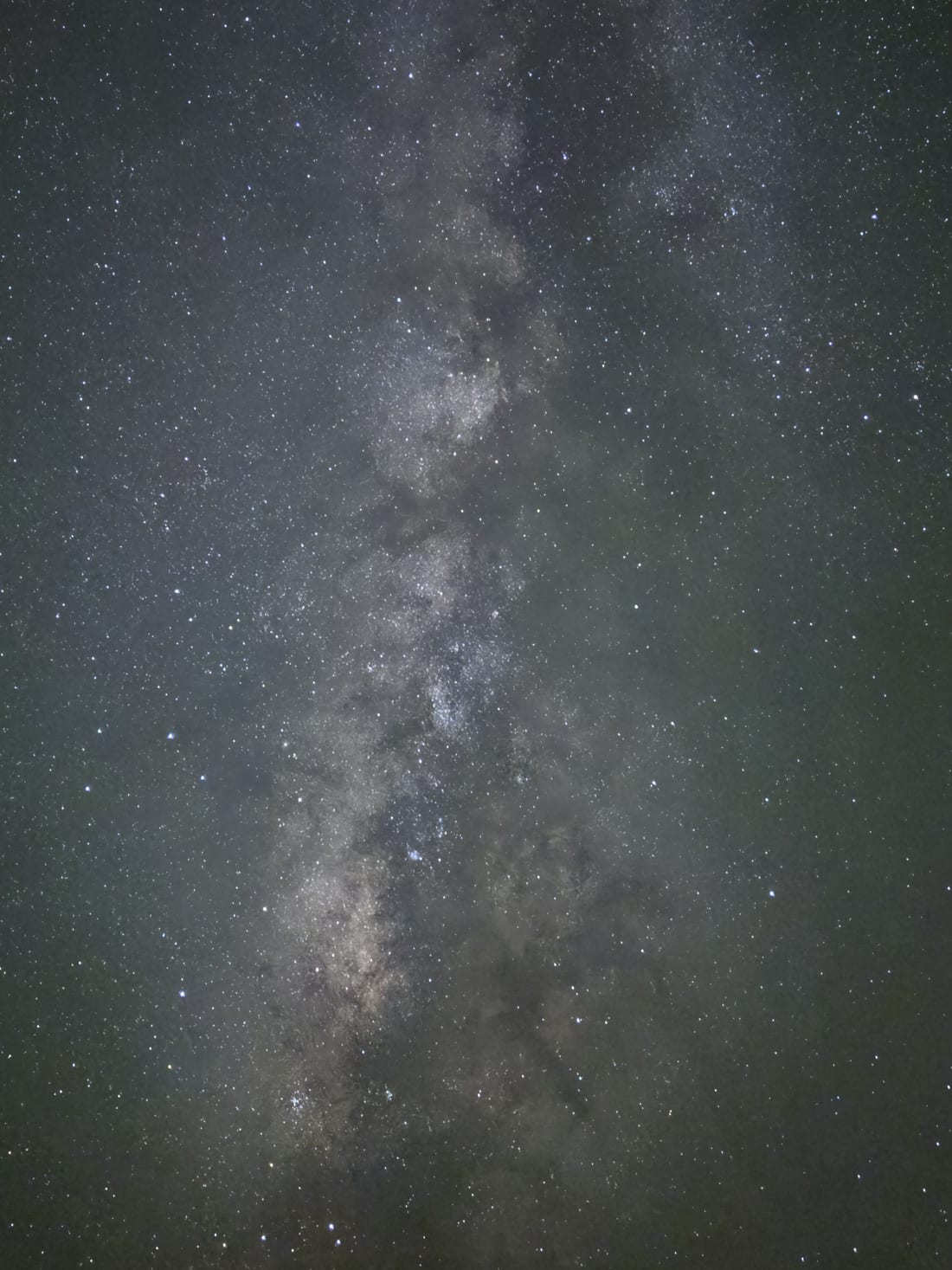 Canary Islands, Spain · © vinii.de
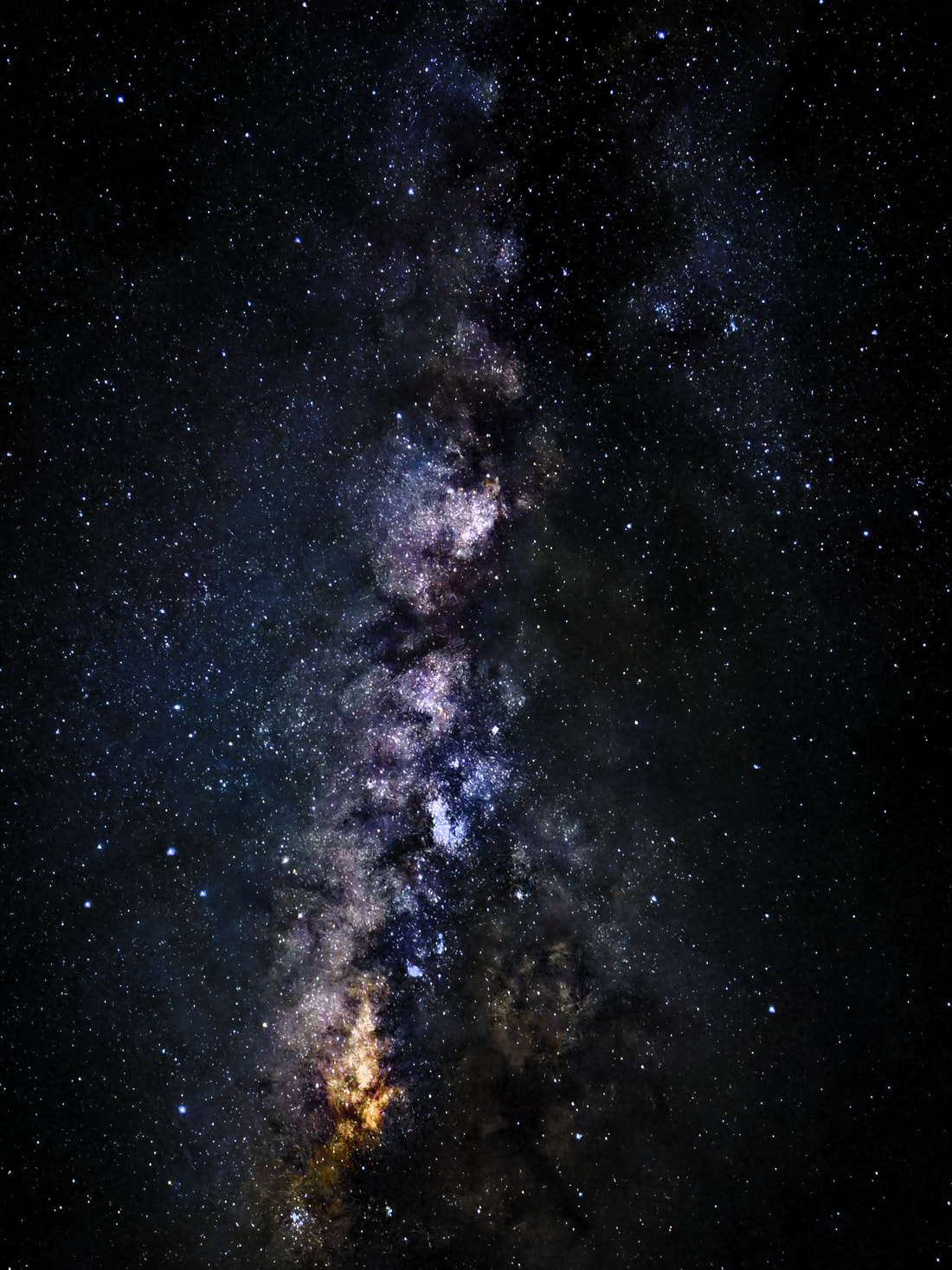 Canary Islands, Spain · © vinii.de
Tools inside
StarStacky mirrors the full Sequator pipeline, then adds a few modern conveniences. Here is what each tool does — and when to reach for it.
Detects stars with a matched filter, matches constellations with RANSAC, then fits an affine transform plus radial lens distortion. Frames line up to sub-pixel accuracy — even ultra-wide.
Use it: always. It's the core of the stack.
Averages your frames while rejecting anything that appears in only a few of them. Aircraft, satellites, meteors and stray hot pixels simply vanish.
Use it: with 4+ frames when something moved through the shot.
Models the sky-glow gradient across your frame and subtracts it, flattening the orange wash of a suburban sky without eating the Milky Way. Includes an aggressive 2-D gradient mode.
Use it: whenever the sky isn't truly dark.
Stack the sky while the foreground stays perfectly still — no blurry, smeared trees or ridges. Paint an irregular sky mask, or split the frame with a straight horizon.
Use it: any nightscape with a foreground, 3+ frames.
Fits a radial distortion model so stars stay sharp corner to corner. Simple works for telescopes and mild lenses; Complex handles ultra-wide and irregular distortion.
Use it: wide lenses and telescopes.
Compose star trails with a max-stack, or turn a long sequence into smooth, low-noise time-lapse frames. The same project, a different integration mode.
Use it: circumpolar shots and timelapse video.
Subtract dark frames to remove sensor pattern noise, and divide by flat-field frames to cancel vignetting. Homogenize for a smooth, symmetrical falloff correction.
Use it: when you shot calibration frames.
Outputs a true 16-bit TIFF (or 8-bit JPEG) for further editing. Auto-brightness, HDR and Linear modes keep your highlight detail intact.
Use it: whenever you'll finish the image elsewhere.
Choosing a stacker
All three stack the night sky. They differ in what they're built for. Here's an honest comparison.
| StarStacky | Sequator | DeepSkyStacker | |
|---|---|---|---|
| Runs in | Any browser | Windows desktop | Windows desktop |
| Cost | Free | Free | Free |
| Install required | No | Yes | Yes |
| Best for | Milky Way & nightscapes | Milky Way & nightscapes | Deep-sky objects |
| Freeze ground | Yes | Yes | – |
| Light-pollution reduction | Yes + 2-D gradient | Yes | Limited |
| Star-trail mode | Yes | Yes | Comet / trail |
| Remove aircraft (σ-clip) | Yes | Yes | Yes |
| Mac / Linux | Yes | Wine only | Wine only |
| Plain-language option help | Every option | Limited | Limited |
Sequator and DeepSkyStacker are excellent tools by their respective authors. StarStacky is an independent project and is not affiliated with either.
Built for
If you photograph the Milky Way over a landscape — a lake, a ridge, a lonely tree — this is your tool. Stack a folder of frames, keep the foreground crisp, and lift the galaxy out of the sky glow. No darkroom, no plugin, no licence key.
Questions
Yes — it reproduces Sequator's pipeline: star alignment, sigma-clipping average, light-pollution reduction, freeze ground and star-trail modes, dark/flat calibration and 16-bit TIFF output. Because it runs in the browser it also works on macOS, Linux and ChromeOS, where Sequator needs Windows or Wine.
DeepSkyStacker is built around deep-sky imaging and heavy calibration stacks. StarStacky is designed for wide-field Milky Way and nightscape frames — its signature moves are keeping the foreground sharp while stacking the sky, and flattening the colour gradients city light leaves behind.
RAW and DNG camera files, 16-bit TIFF, JPEG, PNG and HEIC/HEIF. Add dark frames (noise images) and flat-field frames (vignetting images) if you have them. Export as 16-bit TIFF or 8-bit JPEG.
No. StarStacky is free and needs no sign-up. Frames are used only to build your stack.
More is better up to a point. Three frames already help; ten to forty is the sweet spot for Milky Way nightscapes. Sigma clipping needs four or more to reject aircraft and meteors, and freeze ground works best with three to four or more.
Ready to stack?
Open the stacker, drop in your photos, and pull a cleaner Milky Way out of the noise.
Start stacking →